
NOTE: This article features code blocks from the unsupported Code Kit App. Users can instead connect their codeBits to littleBits Fuse.
To ensure your Code Kit circuit works correctly, check the following items:
1. Power Your Circuit
-
Your circuit always needs a power source to function.
-
Make sure it is connected to a p3 Power Bit.
-
If your battery isn’t working, try plugging it into the wall.
2. Clean Your bitSnaps
-
Gunk or debris on the bitSnaps can prevent signals from traveling through the circuit.
-
Check all bitSnaps and clean them when necessary.
3. Use PowerSnaps on Unconnected Inputs
-
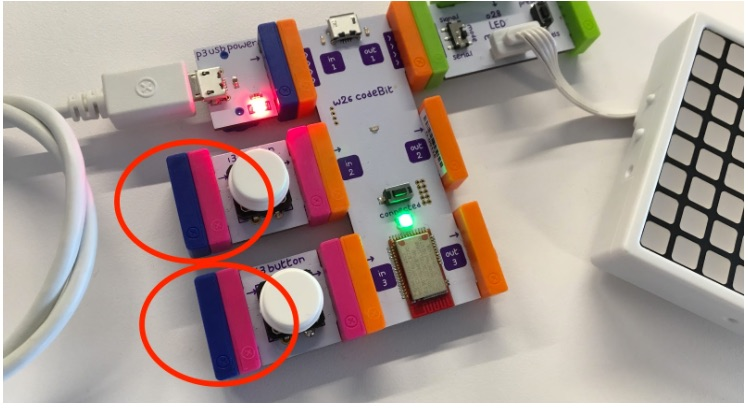
Any inputs not connected to p3 power should have PowerSnaps added.
4. Verify Inputs and Outputs
-
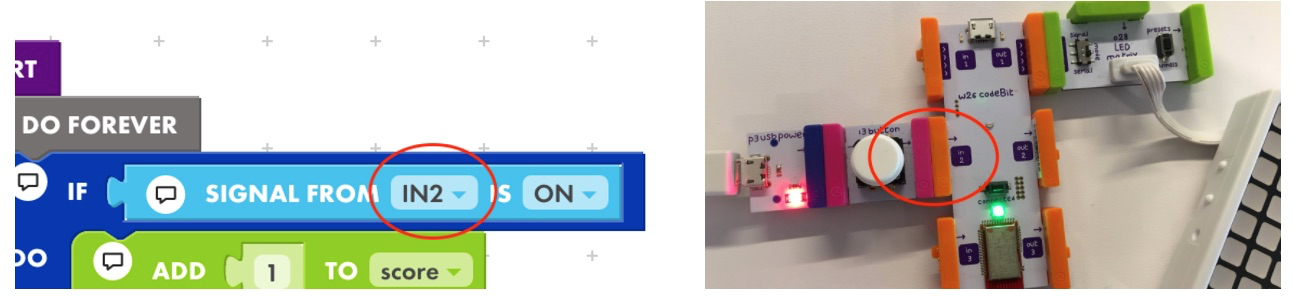
Check that your Bits match the correct inputs and outputs in both your circuit and the app.
5. Set the LED Matrix to Serial Mode
-
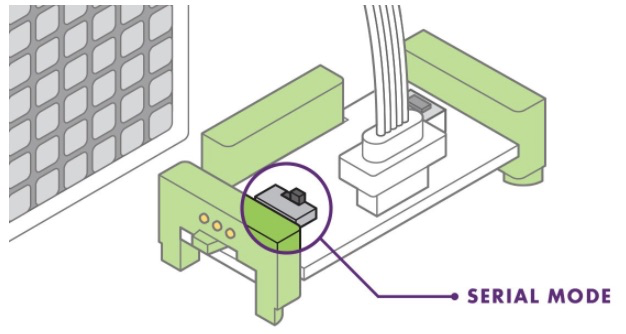
The LED Matrix should always be in SERIAL mode when sending images from the app.
6. Connect the LED Matrix to the Correct Output
-
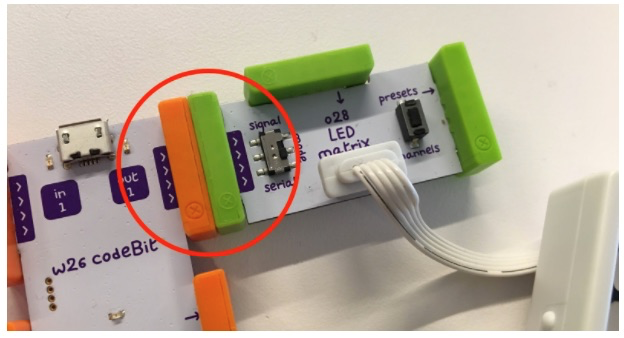
The LED Matrix should be snapped to OUT 1 on your codeBit when sending images from the app.
7. Connect the Speaker Correctly
-
The Speaker Bit should be snapped to OUT 2 or OUT 3 when sending tones from the app.
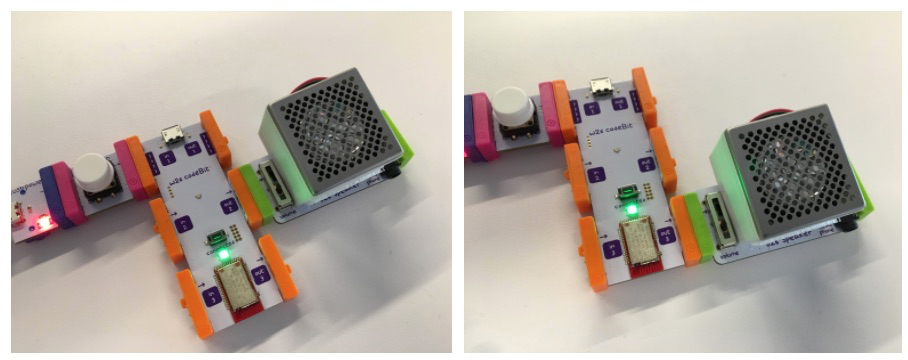
-
Make sure the volume is turned up and audible.